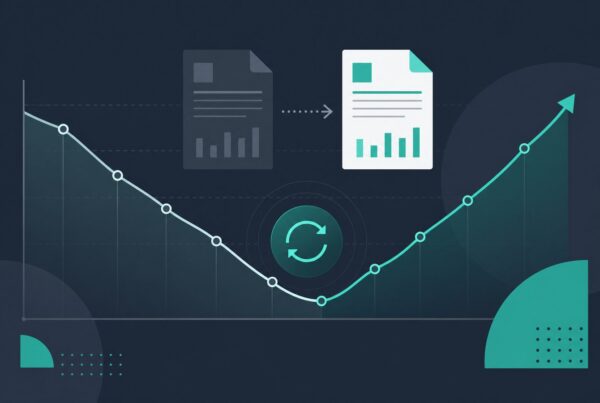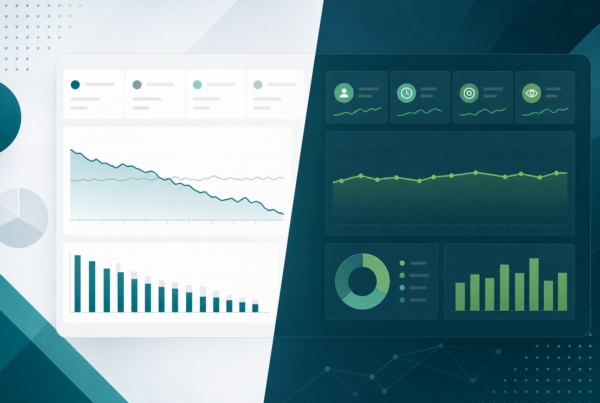
If you want to know how to train team to spot content decay, start by giving people a shared definition, a short list of warning signs, and a monthly ritual they can repeat without turning every review into a debate. Content decay is not just a traffic chart drifting down. It is the point where a page stops doing the job it was built for, whether that job is ranking, earning qualified clicks, supporting a sales conversation, or explaining a key idea clearly.
Most teams notice decay too late because no one owns the early signals. The analyst sees impressions falling. The editor sees outdated examples. The SEO lead sees rankings slide. The demand team sees fewer assisted conversions. Each signal sits in a different tool, so the page keeps slipping until the fix becomes bigger than it needed to be.
A good training program turns those scattered observations into one operating habit. Your team learns what to check, when to escalate, and how to decide whether a page needs a light edit, a deeper refresh, consolidation, or no action at all. For a deeper list of page-level clues, use our guide to signs of content decay in blog articles as the signal library, then use this playbook to turn those signs into team behavior.
Give the team one plain-language definition of content decay
Training breaks down when every person defines content decay differently. One teammate calls any traffic drop decay. Another waits until rankings collapse. A third thinks only old statistics count. Before you assign dashboards or checklists, give the team one working definition they can use in reviews.
Content decay is a sustained decline in a page’s usefulness, visibility, or business value compared with the role that page is supposed to play. That wording matters because not every page is meant to do the same job. A glossary post may be judged by impressions and cited definitions. A comparison page may be judged by qualified leads. A content analytics guide may be judged by rankings, engagement, assisted pipeline, and internal link value.
In practice, this definition keeps the team from chasing every dip. A seasonal page may fall after its season and still be healthy. A new post may have no impressions for a few weeks and still be too early to judge. A high-ranking page may lose clicks because a SERP feature changed, not because the content got worse. Decay is about sustained underperformance against the page’s job, not one bad week.
- Visibility decay: impressions, rankings, or indexed query coverage decline over time.
- Engagement decay: users land on the page but leave faster, scroll less, or ignore the next step.
- Relevance decay: examples, screenshots, terminology, or recommendations no longer match the market.
- Conversion decay: the page still gets traffic but no longer supports leads, demos, trials, or sales enablement.
Once the team can name the type of decay, the next decision gets easier. Visibility decay may need search intent and internal link work. Relevance decay may need examples, proof, and dated claims refreshed. Conversion decay may need a sharper CTA, clearer offer bridge, or better fit between the page and the reader’s next step.
Train people on signals, not just tools
Tools are useful, but they do not create judgment on their own. A junior marketer can open Search Console and find a falling line. That does not mean they know whether the page is decaying, whether the query mix changed, or whether the page is simply ranking for broader terms that never clicked well. The training goal is to help people recognize patterns, not memorize where a report lives.
Start with a small signal set. If the checklist has 40 metrics, no one will use it. We like a first-pass review that asks five questions: Is the page losing impressions? Is average position slipping on important queries? Is click-through rate weaker than the position should earn? Is engagement worse than similar pages? Is the content visibly stale or incomplete compared with what buyers now ask?
Those questions give editors, analysts, and SEO leads a shared way to talk. The analyst can say, “This is not just a traffic drop. Impressions are stable, but CTR has fallen for the main query.” The editor can say, “The snippet problem makes sense because the title promises a checklist, but the article opens with a broad strategy section.” The SEO lead can say, “The page also lost internal links from two newer guides, so we should restore cluster support.” That is training working.
| Signal | What the team checks | What it often means |
|---|---|---|
| Impressions down | Search Console page and query trend over 90 days | Demand shifted, rankings slipped, or Google sees the page as less relevant |
| Position slipping | Main queries and close variants, not only average page position | Competitors, freshness, intent fit, or internal links may be stronger elsewhere |
| CTR weak | CTR compared with position and query intent | Title, meta description, or result angle may not match what searchers want |
| Engagement down | GA4 engagement rate, time, scroll, and next-page behavior | The page earns the click but fails to answer quickly or guide the next step |
| Content stale | Dates, screenshots, product references, examples, and missing questions | The article may still rank but feel out of date to readers and AI systems |
If your team needs a more formal measurement layer, connect this training with a recurring content decay monitoring workflow. The workflow catches pages at scale. The training helps humans decide what the signal means.
Assign decay ownership by role
One reason content decay goes unnoticed is that everyone assumes someone else is watching. SEO owns rankings. Content owns freshness. Analytics owns dashboards. Demand owns conversion. That structure sounds reasonable until a page starts slipping across all four areas and no one has the authority to call a review.
Training should make ownership explicit. You do not need a new role or a standing meeting with ten people. You need each function to know what it is responsible for noticing and what it should bring to the monthly review. The goal is not to make every teammate an SEO analyst. The goal is to make each teammate better at spotting the decay signals closest to their work.
| Role | Monthly responsibility | Escalates when |
|---|---|---|
| SEO lead | Checks ranking, query mix, internal links, index status, and SERP changes | A priority page loses ground for business-relevant queries over two review periods |
| Editor or content lead | Checks freshness, examples, structure, answer quality, and CTA fit | The page no longer reflects how customers talk about the problem |
| Analyst | Checks GA4 engagement, assisted conversions, landing page trend, and cohorts | Traffic stays steady but qualified behavior drops |
| Demand or growth lead | Checks offer alignment, lead quality, sales questions, and conversion path | The topic still matters commercially but the page no longer moves people forward |
That role split keeps the review grounded. The SEO lead should not be expected to rewrite every stale example. The editor should not be expected to diagnose query cannibalization alone. The analyst should not be expected to decide the refresh angle without content context. Each person brings a piece of the decay story, and the owner of the review turns those pieces into a decision.
Use a monthly review ritual people can actually follow
The best decay training is boring in a good way. It happens on a cadence, uses the same checklist, and ends with clear decisions. If every review starts from scratch, the team wastes energy remembering what to look for. If the cadence is too frequent, people react to noise. For most B2B content programs, monthly review with a 90-day performance window is the right starting point.
Use the first week of the month to pull candidates. Sort by business importance first, not by biggest traffic drop. A low-value post losing 300 visits may matter less than a sales-support article losing 30 highly qualified sessions. Then group pages by likely issue: visibility, CTR, engagement, freshness, or conversion. That grouping keeps the discussion from becoming a vague “this page is down” conversation.
- Pull the candidate list. Use Search Console, GA4, and your priority URL list to identify pages worth reviewing.
- Label the likely decay type. Visibility, engagement, relevance, or conversion.
- Assign one owner to inspect each page. The owner prepares evidence before the review, not during it.
- Make one decision per page. Refresh, consolidate, retitle, relink, monitor, or ignore.
- Set a follow-up date. A refresh without a recheck is just a content task, not a learning loop.
The ritual should end with a short action queue, not a giant spreadsheet of maybes. Pick the few pages where the evidence is strong and the upside is real. If the team leaves with more than five priority fixes, you probably turned the review into inventory management instead of decision-making.
Teach thresholds, but do not turn them into autopilot
Teams like thresholds because they make messy data feel objective. A 20% traffic drop. Two months of declining impressions. A CTR below 1%. A ranking drop of five positions. Those can all be useful triggers, but they should start a review, not make the decision for you.
For example, a post can lose 25% of sessions because the query is seasonal. That is not automatically decay. Another post can lose only 8% of sessions but drop from position three to position seven on a high-intent query, which may be a bigger business problem. A threshold catches attention. Human judgment decides what the page needs.
We recommend training the team with three levels of action:
- Watch: One weak signal, low business impact, or a likely seasonal movement. Recheck next month.
- Inspect: Two or more weak signals, moderate business impact, or unclear intent mismatch. Assign a page owner to diagnose.
- Act: Sustained decline on a priority page, clear freshness problem, or conversion drop with continued qualified traffic. Put it in the refresh queue.
This keeps thresholds useful without making them brittle. It also protects the team from overreacting. Content programs lose time when every dip becomes an emergency. The better habit is to ask, “What job does this page have, what signal changed, and is the change meaningful enough to act on now?”
Practice with real pages, not hypothetical examples
A training session built around invented examples rarely sticks. Use your own pages. Pull one page that clearly decayed, one that looked scary but did not need action, and one that quietly lost business value while top-line traffic stayed flat. Those three cases teach more than a slide deck because the team can see how different signals tell different stories.
For each page, ask the group to diagnose before showing the answer. What changed? Which signal matters most? What would they do next? Would they rewrite the title, add sections, refresh examples, add internal links, consolidate the page, or leave it alone? The debate is useful because it exposes where people are reading the same chart differently.
Then show the eventual outcome if you have it. Did a title rewrite lift CTR? Did a deeper refresh recover impressions? Did a page keep falling because the team only changed the intro when the real issue was search intent? This is how you build judgment. People learn which fixes match which signals.
If you need a measurement companion for these exercises, use our guide on how to measure content decay. Measurement gives the team the evidence. Practice gives them the confidence to interpret it.
Make the checklist short enough to survive the month
The checklist should fit on one page. If it requires three tabs, five dashboards, and a 45-minute explanation, your team will use it once and quietly abandon it. A working checklist should help someone inspect a page in 10 to 15 minutes and decide whether it deserves a deeper review.
Here is a practical first version:
- Page job: What is this page supposed to do for the business?
- Primary query or topic: What should the page be found for?
- Visibility signal: Are impressions or rankings down over the last 90 days?
- CTR signal: Is the page earning fewer clicks than its position suggests?
- Engagement signal: Are engaged sessions, time, scroll, or next actions weaker than before?
- Freshness signal: Are examples, screenshots, stats, product notes, or recommendations stale?
- Link signal: Has the page lost internal support, or is it disconnected from the current topic cluster?
- Decision: Watch, inspect, act, consolidate, or retire.
The most important checklist item is the first one. If the team cannot say what the page is supposed to do, they cannot judge whether it is decaying. That is why content analytics and content strategy belong together. Performance data only becomes useful when it is tied to page purpose.
Connect decay training to refresh decisions
Spotting decay is only the first half of the habit. The second half is knowing what to do with the page once the team agrees the signal is real. Without that decision layer, decay reviews become a monthly complaint session. People point at falling charts, nod, and move on.
Train the team to match fixes to causes. If the issue is CTR and position is strong, rewrite the title, meta description, and opening angle before rewriting the whole article. If the issue is relevance, update examples, definitions, screenshots, product references, and missing buyer questions. If the issue is visibility, strengthen the page, add internal links, and check whether newer posts are competing with it. If the issue is conversion, revise the CTA bridge and make the next step match the reader’s problem.
Some pages need a full refresh. Some need consolidation. Some need a better title. Some should be left alone because the signal is temporary or the business value is too small. The team should learn that restraint is part of the process. The point is not to refresh everything. The point is to spend editorial effort where it can recover visibility, improve trust, or create business value.
For a deeper repair framework, pair this training with our guide on how to reverse content decay. This article teaches the team to notice and escalate. That guide helps decide the repair path once a page earns its place in the queue.
Turn content decay training into a repeatable operating habit
Content decay training works when it changes what the team does next month. The win is not that everyone understands a new term. The win is that an editor flags stale examples before a rankings drop gets worse, an analyst spots a conversion decline before traffic falls, and an SEO lead catches a query shift before a priority page loses its place in the cluster.
If your content program has dozens or hundreds of posts, you do not need a bigger spreadsheet. You need a clear review cadence, shared signals, role ownership, and a short list of decisions the team can make confidently. That is what turns content maintenance from cleanup work into a growth system.
Click Laboratory helps teams build content analytics and refresh workflows that show which pages are decaying, why they are slipping, and what to fix first. If you want a second set of eyes on your highest-risk pages, a content refresh audit can turn your Search Console, GA4, and editorial signals into a practical recovery plan.
Content decay training questions for marketing teams
Use these answers to help your team decide what to watch, who should own the review, and when a page deserves refresh work.
How do you train a team to spot content decay early?
Train the team around shared signals and repeatable decisions. Start with one definition of content decay, then teach people to check visibility, CTR, engagement, freshness, internal links, and conversion fit. Give each role a narrow responsibility so the editor, SEO lead, analyst, and demand lead are not all looking at the same page from the same angle.
The training should include real examples from your own site. Show a page that needed a title rewrite, a page that needed a deeper refresh, and a page that looked down but was only seasonal. That comparison teaches judgment. The goal is not to make every person an analytics expert. It is to help each person notice the signals closest to their work and know when to escalate.
Who should own content decay reviews?
One person should own the review process, but several roles should contribute evidence. Usually the best owner is a content lead, SEO lead, or content analytics lead who can connect search performance, editorial quality, and business value. That owner maintains the candidate list, runs the monthly review, and assigns decisions after the team looks at the evidence.
Ownership should not mean doing all the work alone. The SEO lead should bring query and ranking changes. The editor should inspect freshness, structure, and answer quality. The analyst should bring engagement and conversion patterns. Demand or sales should flag whether the page still supports real buyer conversations. Content decay touches too many systems to be owned well by one dashboard.
How often should a team review content decay?
For most B2B marketing teams, monthly review is enough. Use a 90-day performance window so the team does not react to one strange week, and compare pages against their purpose rather than a universal traffic benchmark. Priority pages, such as high-intent service pages or major content hubs, may deserve a closer look when rankings or conversions shift suddenly.
Quarterly, zoom out and inspect the full content inventory. Monthly review is for decisions on priority pages. Quarterly review is for patterns: clusters losing authority, topics that no longer support pipeline, old posts competing with newer ones, and pages that should be consolidated. Keeping those cadences separate makes the monthly habit easier to sustain.
What metrics show early content decay?
Early content decay often shows up as falling impressions, slipping average position on important queries, weaker click-through rate, lower engagement, fewer assisted conversions, or visible freshness gaps. No single metric proves decay by itself. The strongest signal is usually a pattern across two or more areas, especially when the page has clear business value.
Look beyond top-line traffic. A page can hold sessions while losing the queries that matter most. It can keep rankings while the title stops earning clicks. It can still get readers while no longer guiding them to a next step. Train the team to ask what changed, whether the change is sustained, and whether it affects the job the page is supposed to do.
When should content decay become a refresh task?
Content decay should become a refresh task when the decline is sustained, the page matters to the business, and the team can name the likely cause. A priority article losing visibility on core queries deserves action. A page with strong rankings but weak CTR may need title and meta work first. A page with dated examples or missing buyer questions may need a deeper editorial refresh.
Not every warning sign should become a task. Seasonal movement, low-value pages, and early noise from new posts can be monitored instead. The useful decision labels are watch, inspect, act, consolidate, and retire. Those labels keep the team from treating every dip as a full rewrite.
What should be included in a content decay training checklist?
A practical checklist should include page purpose, primary query or topic, visibility trend, CTR trend, engagement trend, freshness issues, internal link support, conversion fit, and the recommended decision. Keep it short enough that someone can inspect a page in 10 to 15 minutes. If the checklist takes an hour, it will not become a habit.
The most important field is page purpose. A glossary article, service page, comparison guide, and analytics post should not be judged by the same standard. Once the team knows what the page is supposed to do, the metrics become easier to interpret and the next step becomes clearer.